
stop checking your heart rate. ZoneLock tells you when you drift.
set a target zone, connect a chest strap or Apple Watch, and put your phone away.


how it works
- 1
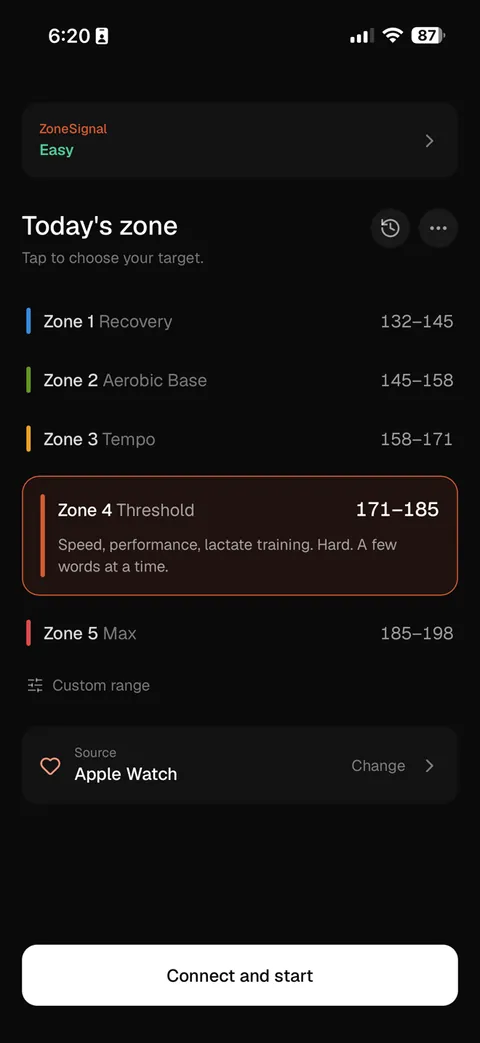
set your zone
pick Zone 2 or any custom range, from zones calibrated to your own resting and max heart rate.
- 2
connect and go
pair any Bluetooth chest strap or use the free Apple Watch app. tracking keeps running with your screen locked.
- 3
train by ear
a cue in your earphones when you drift above or below, silence when you are back in. an 8 second buffer ignores stray readings.
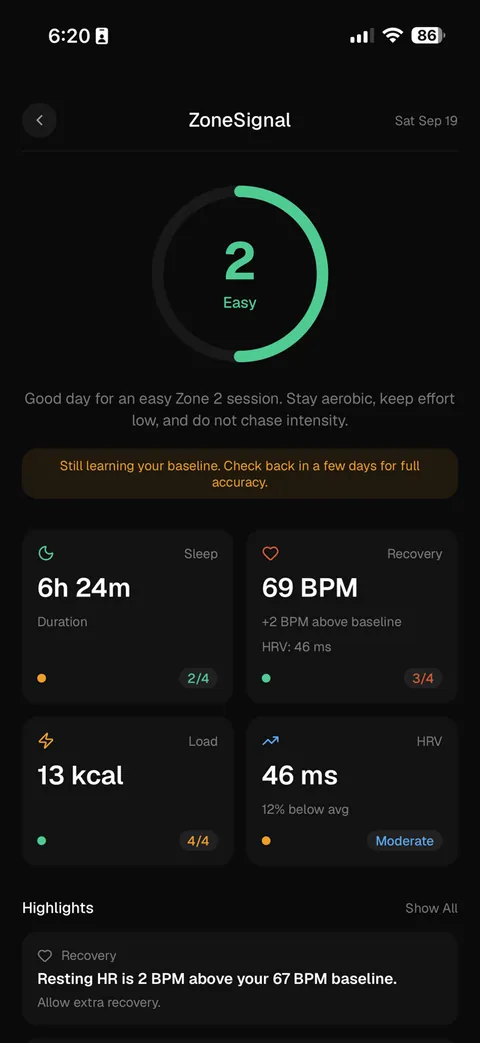
know if today is a hard day or an easy one
ZoneSignal reads your sleep, resting heart rate, HRV and recent training load each morning and tells you how hard to go.
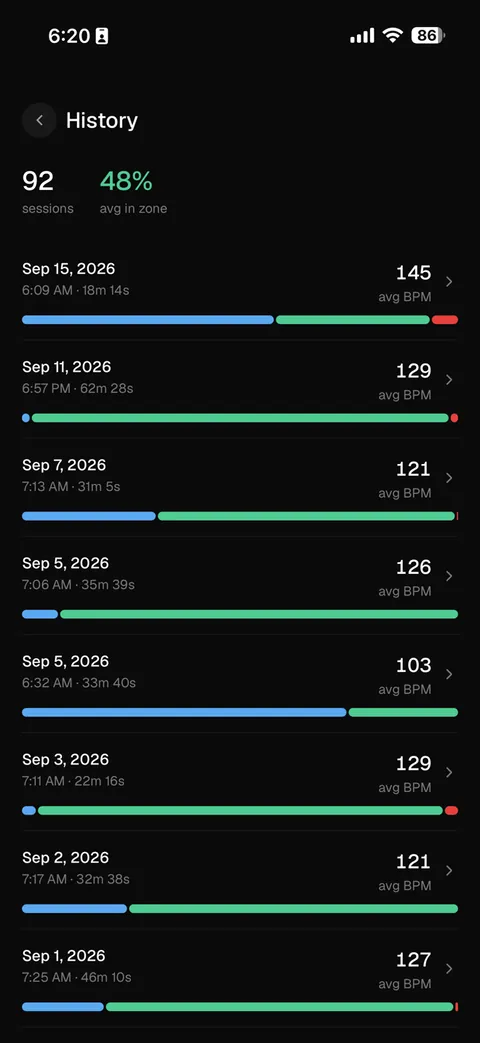
see how much of every session was really in zone
every session is split into time below, in, and above your zone, so you can watch your aerobic base build week after week.
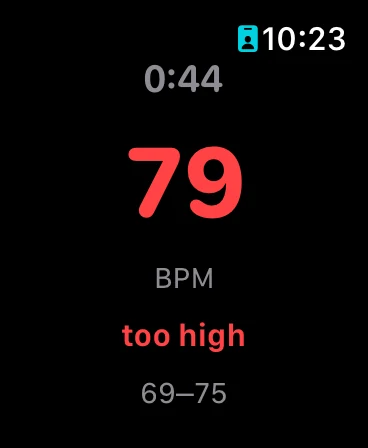
works with the gear you already own
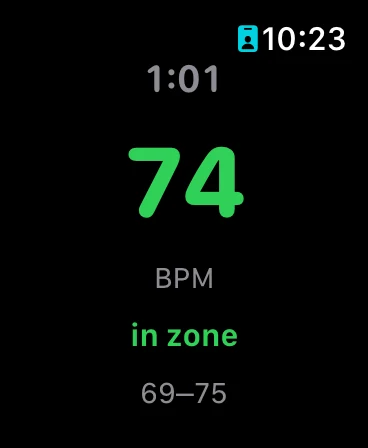
Polar H9 and H10, Wahoo TICKR, Garmin HRM-Pro, and any Bluetooth LE heart rate strap. on Apple Watch, the free standalone app runs a full session without your phone, taps your wrist when you drift, and syncs the session back afterwards.
pricing
zone training is free. Pro adds the long-term picture.
free
$0
forever
- live heart rate from any Bluetooth strap
- audio and visual zone alerts
- personal zones from your resting and max heart rate
- standalone Apple Watch app
- summary after every session
Pro
7 day free trial$1.67/mo
billed annually at $19.99/year · Save 44%
or $2.99/month, billed monthly
- everything in free
- unlimited session history
- session stats and trends
- ZoneSignal daily training readiness
frequently asked questions
What is ZoneLock?
ZoneLock is a free heart rate zone training app for iOS and Android. It connects to Bluetooth chest straps like the Polar H9 and H10 and alerts you through your earphones when your heart rate drifts above or below your target zone.
What does ZoneLock do?
ZoneLock reads your live heart rate from a connected chest strap or Apple Watch. When you drift outside your target zone it plays an audio cue through your earphones. When you return to the zone it goes silent. No phone checking needed during your workout.
How does ZoneLock work?
Before your session you set a target heart rate zone by BPM range. ZoneLock connects to your Bluetooth heart rate monitor and reads your live BPM throughout the session. The zone engine uses 8 seconds of hysteresis to avoid false alerts from single stray readings. After your session you see a summary showing time in zone, above zone, and below zone.
Does ZoneLock work with Polar H9 and H10?
Yes. ZoneLock works with the Polar H9, Polar H10, and any standard Bluetooth LE heart rate monitor that broadcasts on the standard heart rate service UUID 0x180D.
Is ZoneLock free?
Yes. ZoneLock is free to download and the core features are free, including live heart rate monitoring, zone alerts, and the Apple Watch app. ZoneLock Pro unlocks unlimited session history, session stats and trends, and ZoneSignal daily training readiness for $2.99 per month or $19.99 per year with a 7-day free trial.
Does ZoneLock have an Apple Watch app?
Yes, and it is free. ZoneLock includes a standalone Apple Watch companion app that runs a full session without your phone present and syncs the session back to your phone automatically.
Who is ZoneLock for?
ZoneLock is for any athlete who trains with heart rate zones. Runners, cyclists, swimmers, triathletes, and court sport players all benefit from real-time zone alerts. Anyone doing Zone 2 base training will get the most out of it.
your next session, locked in your zone.